Baraha
Baraha
Baraha is a text editor for Indian languages. Baraha editor uses phonetic keyboard, which can be useful for both beginner and expert users. Baraha editor has basic word-processor features such as page layout, print, find-replace, multi-columns, fonts. User can copy/export document to TXT, RTF, HTML files in Unicode as well as ANSI encoding. Baraha editor can also be used for learning Indian languages, braille transcription, vedic scriptures, and musical notes.
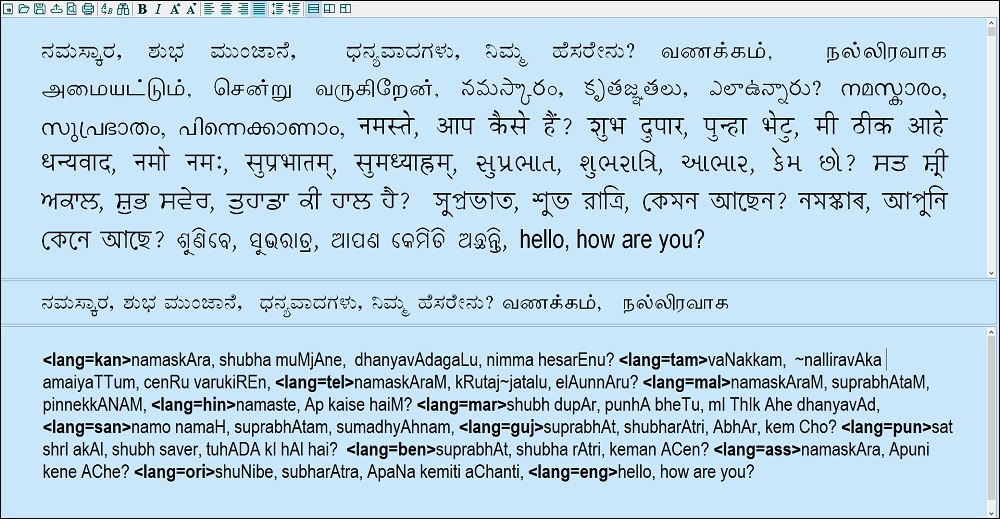
You will type phonetic text in the Input (bottom) window, which is converted to Indian script and displayed in the Output (top) window. The Preview (middle) window shows currently edited line and highlights the currently edited word. You may choose different arrangement of the windows by clicking the  layout buttons on the toolbar. While editing the document, you may press Convert button
  on the toolbar to convert text. (shortcut key: Ctrl + T). While browsing the document, text is synchronized between Input window and Output window, which helps you to edit required paragraph quickly. You may double click on a word in the Output window to select the corresponding word in the Input window.
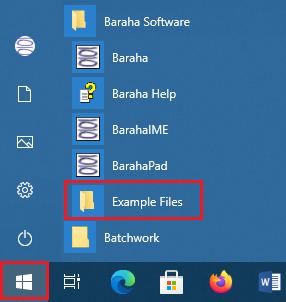
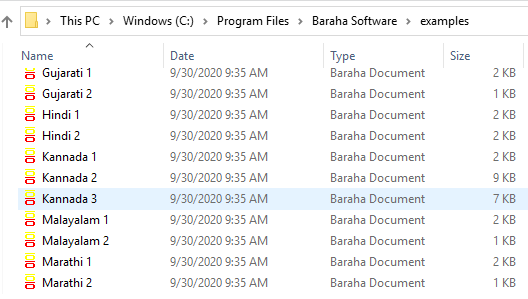
Open Example files listed in Start->Baraha Software program group to understand the usage of phonetic keyboard and text formatting using switches.
|
|
Related topics: Braille support | ISO15919 | Script Override | Text formatting | Switches
Menu commands:
| Command | Description |
| File->Export | Read Export topic |
| File->Page Setup | Read Page Setup topic |
| Edit->Convert | Convert text to Indian script |
| Edit->Find-Replace | Read Find-Replace topic |
| Settings->Language... | Read Language Settings topic |
| Settings->Options... | Read Options topic |
| View->Page Layout->... | Select page layout settings |
| View->Script Override->... | Read Script Override topic |
| View->Script Override->Output... | Select output type. [Indian Script, ISO15919, IAST] |
| Output->Right Click->Search | Right click on a word in the Output Window and select Search menu for performing a web search |
| Output->Right Click->Translate |
Right click on a word in the Output Window and select Translate menu to translate Baraha uses Google Translate for translating text between Indian languages and English, and is currently available for Kannada, Hindi, Tamil, Telugu, Malayalam, Gujarati and Bengali languages only |
| Input->Right Click->Insert Symbol | Read Insert Symbol topic |
| Input->Right Click->Insert Hyperlink | Read Insert Hyperlink topic |