Installing Windows keyboards for Indian languages
Follow these instructions to install Windows keyboards in Windows XP. (Instructions for other versions of Windows operating systems)
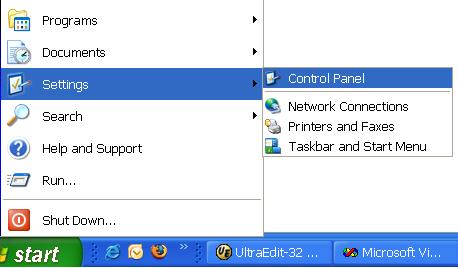
From the Control Panel start the Regional and Language Options applet.
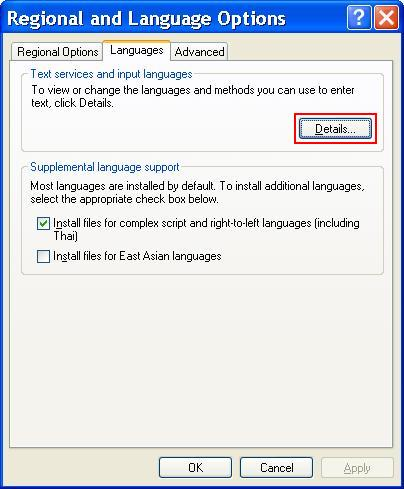
Click Details... button in Languages tab.
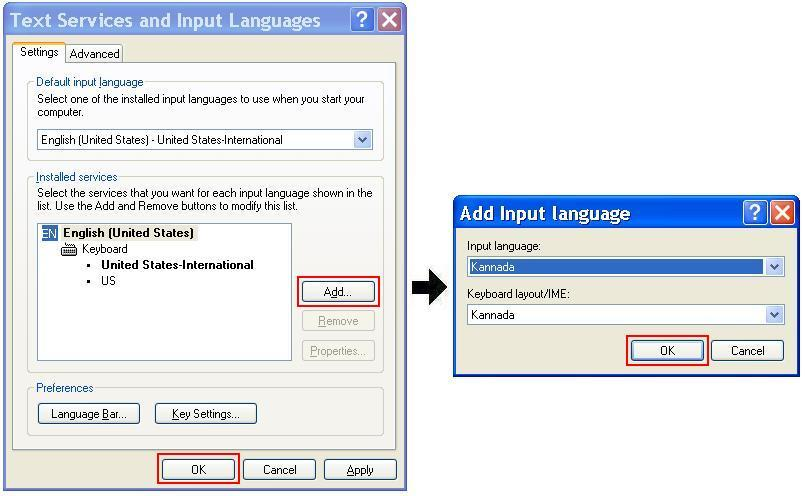
In the Text Services and Input Languages screen, click Add... button to add the required Indian language keyboard(s).
Click OK button to apply the changes.