Enabling Indian languages in Windows XP
Follow the instructions below to enable Indian languages in Windows XP. (Instructions for other versions of Windows operating systems)
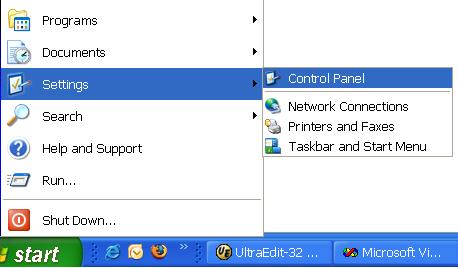
From the Control Panel start the Regional and Language Options applet.
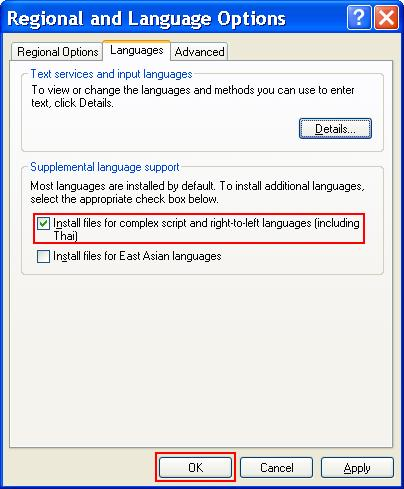
Select Install files for complex script and right-to-left languages (including Thai) option.
Click OK button to apply the changes.